Your family's fridge door, on a screen.
One shared board for the whole household — notes, photos, the calendar, what's for dinner, whose turn it is to do the dishes, and a care log with grown-up-only gates. Everything flows in one place, so nothing gets lost in a group chat.
One board for the whole family.
Storyboard: calendar, meals, chores and a care log, shared across households. Free core on Android, iPhone and iPad.


What Storyboard does.
Built, shipped and supported in-house — every part of it made by the same person who answers your email.
A board that flows
Content moves down the board as it happens, like a river. Pin the things that matter so they stay put at the top where everyone sees them.
Shared calendar
Everyone's events in one view, colour-coded per family member, with a planner grid for the week ahead.
Meals & groceries
Plan the week's dinners, keep a cookbook of what actually works, and build the grocery list straight off the plan.
Chores with streaks
Assign the jobs, tick them off, and let streaks do the nagging so you don't have to.
Private care log
Track doses, appointments and notes behind grown-up-only permission gates, so it stays out of reach of younger family members.
Family map & Fridge Mode
See where everyone is when they've opted in, and park a spare tablet on the fridge in kiosk mode as the household's always-on display.
A look inside.
The shared board
Planning dinner
The week ahead
Chores and streaks
The care log
Recorded on a real device. Clips loop silently.
On iPhone and iPad, too.
The same board, calendar, meals and chores, built natively for iOS. Families can mix iPhones and Android phones on one board.
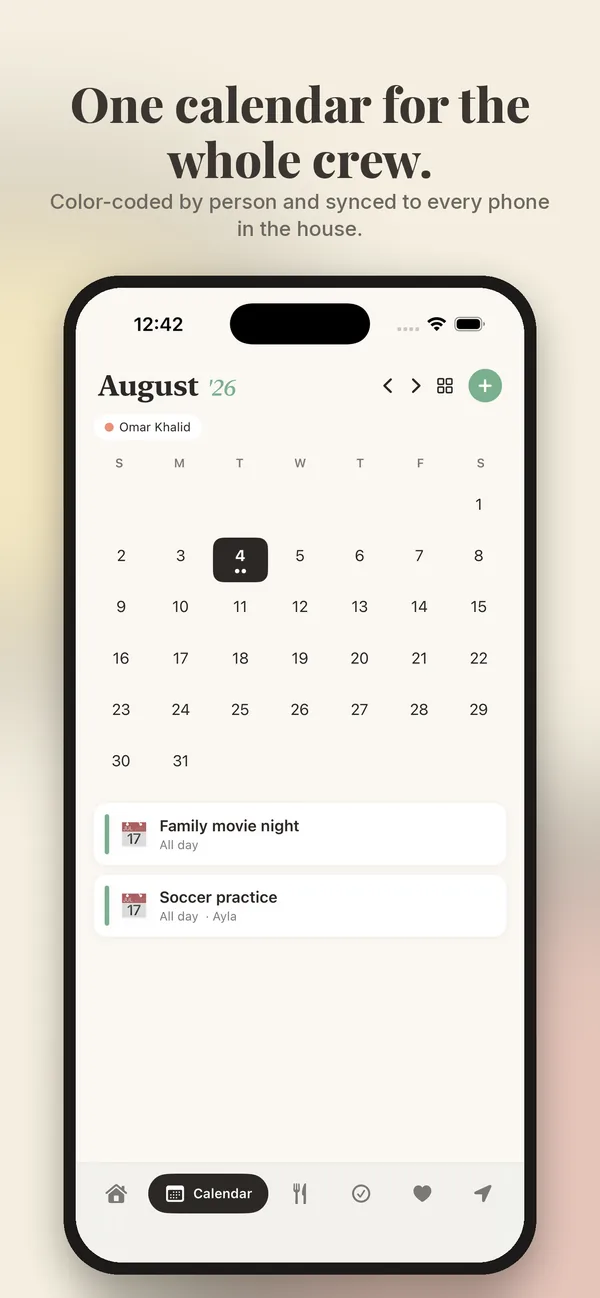
Calendar on iPhone
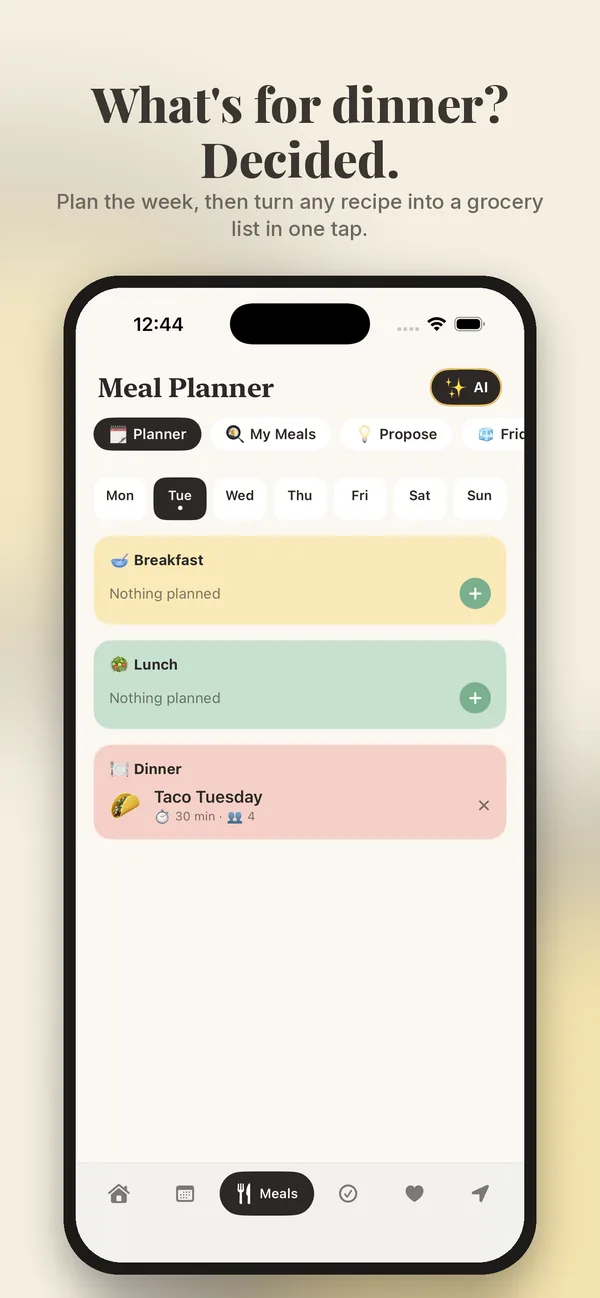
Meal planner on iPhone
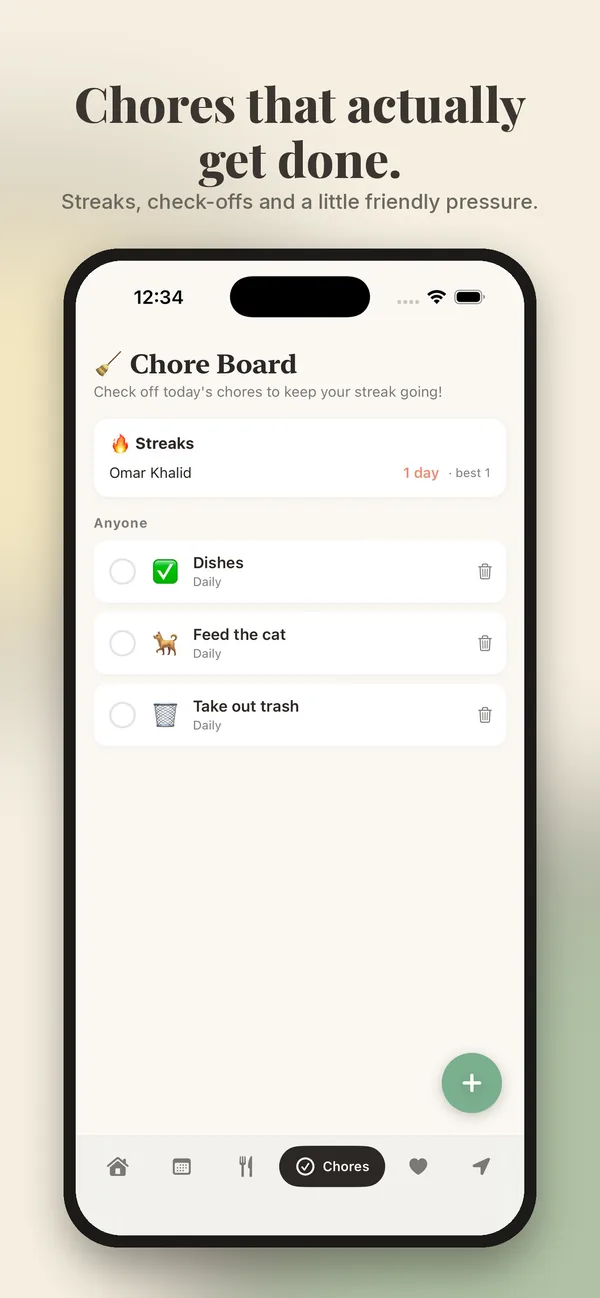
Chores on iPhone
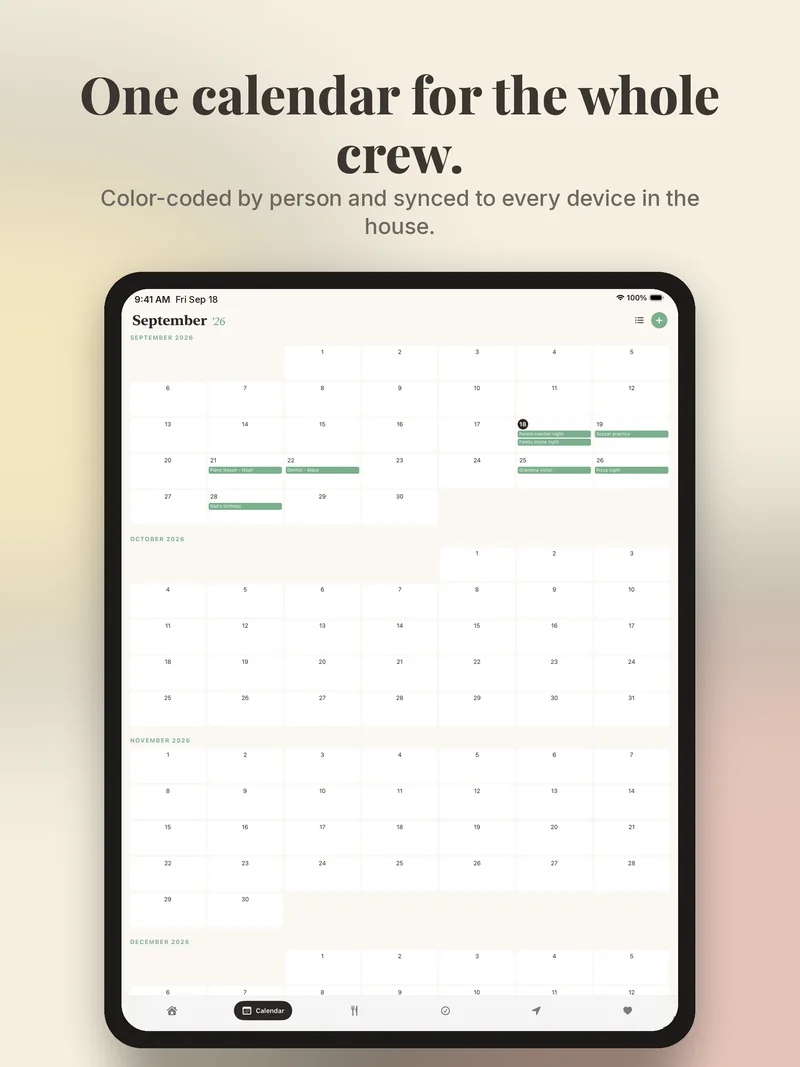
Calendar on iPad
Made for households with a lot going on.
One board the whole family can see, instead of a whiteboard nobody updates and four calendars that disagree.
Questions, answered.
Is Storyboard free?
Yes, Storyboard is free on Google Play and the App Store. There's an optional Storyboard Plus tier for households that want the extras, but the core shared board, calendar, meals and chores are free to use.
Is it safe for kids?
Children get their own access with permission gates on the sensitive parts — the care log, for example, is grown-up-only, so younger family members never see it.
What is Fridge Mode?
Fridge Mode turns a spare tablet into a kiosk display for the household. Stick it on the fridge and it shows today's board, calendar and chores without anyone needing to unlock anything.
How do I delete my account and data?
You can delete your account and everything attached to it from inside the app in a few taps, or by emailing us. The full steps are on our account deletion page.
Is there an iPhone version?
Yes. Storyboard is on the App Store for iPhone and iPad, and families can mix iPhones and Android phones on the same board.
Is there a free app for managing a family schedule?
Yes. Storyboard is free on Google Play. One person sets the family up, everyone else joins with an invite link, and from then on the calendar, chores, meals and lists are shared automatically between everybody in the group.
Can the whole family see the same calendar?
Yes, and that is the point of it. Events, chores, meal plans and lists sync between every member, so the board on the kitchen tablet and the one in your pocket always show the same thing.
How do chores work?
Assign a chore to a family member and set how often it repeats, and it lands on their list. Finishing it keeps a streak going, which turns out to motivate a nine-year-old considerably more than a reminder does.
Can younger children use it?
Yes. Children join as Child members and the family owner controls what they can reach — including whether they can open the family map or the care log, both of which are grown-up-only by default and enforced on our servers, not just hidden in the app.
Try it today — it's free on Google Play and the App Store.
More from the studio.
Nine apps, one promise: friendly tools that work flawlessly, respect your privacy and fit your life. See all nine and their Google Play links →